 Karelia Labs

Karelia PDF
Embed PDF menus, brochures and page-turn flipbooks.
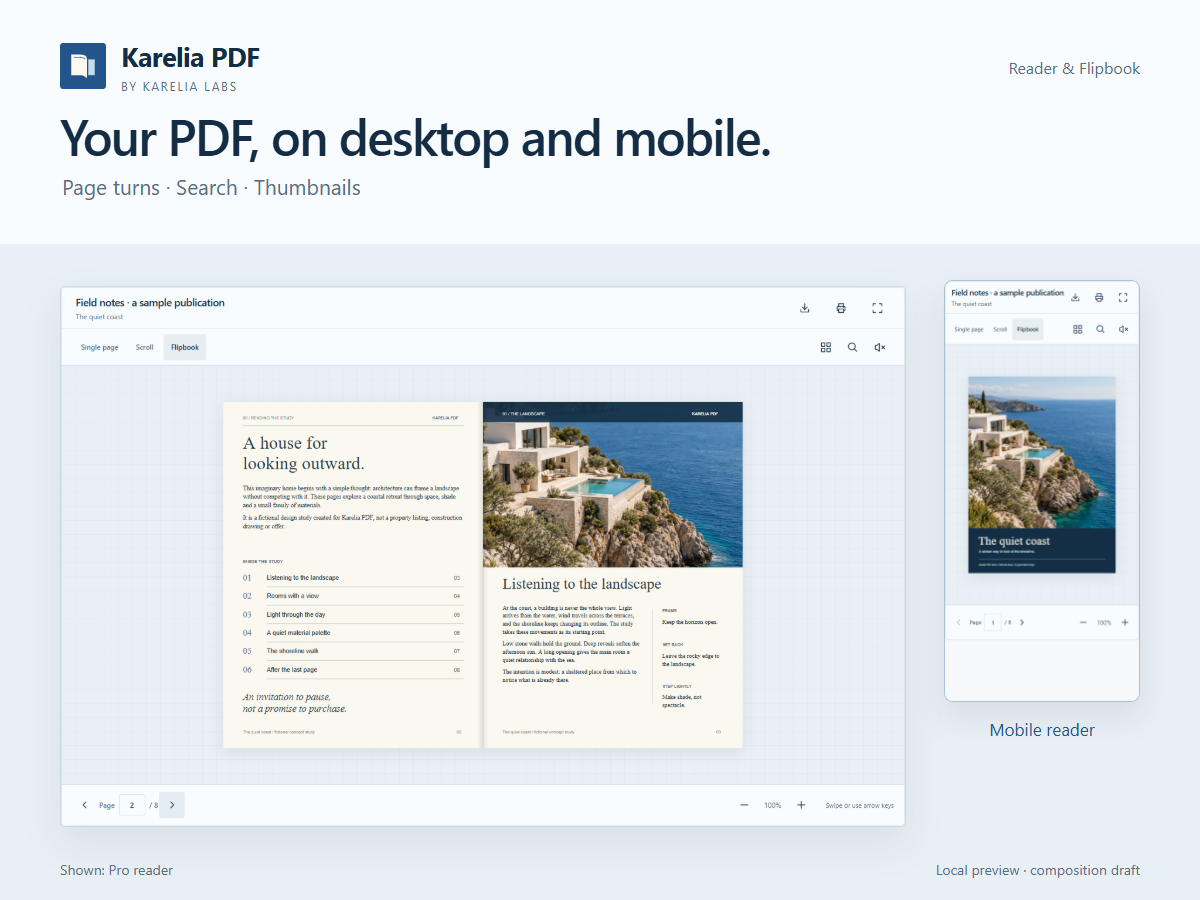
A PDF viewer and flipbook for Wix
Add a PDF reader to your website so visitors can browse menus, brochures, product catalogs and guides without leaving the page. Karelia PDF combines page navigation, zoom and selectable text with layouts for desktop and smaller screens.
What you can do
Embed PDF menus, brochures, catalogs and guides on your site
Start free with single-page or continuous-scroll reading and zoom
Add page-turn flipbooks, search, thumbnails and fullscreen with Pro
Group documents and track per-document views with Business
Choose a PDF from your Media Manager or connect a public HTTPS PDF link. The free plan includes single-page and continuous-scroll reading, reader themes and colors, keyboard navigation, and controls for showing or hiding download and print buttons.
Pro adds a page-turn flipbook, document search, thumbnails and fullscreen reading. Add an optional cover image and page-turn sound to suit your publication. Business lets you bring several documents together in one reader and see per-document view counts.
Use a reader for a restaurant menu, a flipbook for a brochure, or a document collection for product catalogs and guides. Keep the reading experience close to the rest of your website and choose the features that fit your plan.
Useful to know
Is the flipbook included in Free?
The free plan has single-page and continuous-scroll reading. Page-turn flipbooks, search, thumbnails and fullscreen are Pro features.
Can I show more than one PDF?
Business supports multiple documents in one reader. Check the current plan details on the App Market.
Start with a clear next step.
Choose a readable PDF layout, match the reader to your site and understand when a flipbook is useful.
Already using Karelia PDF? You can leave an honest review on its Wix App Market page.