 Karelia Labs

Karelia Class Guard
Spot underfilled classes before your decision deadline.
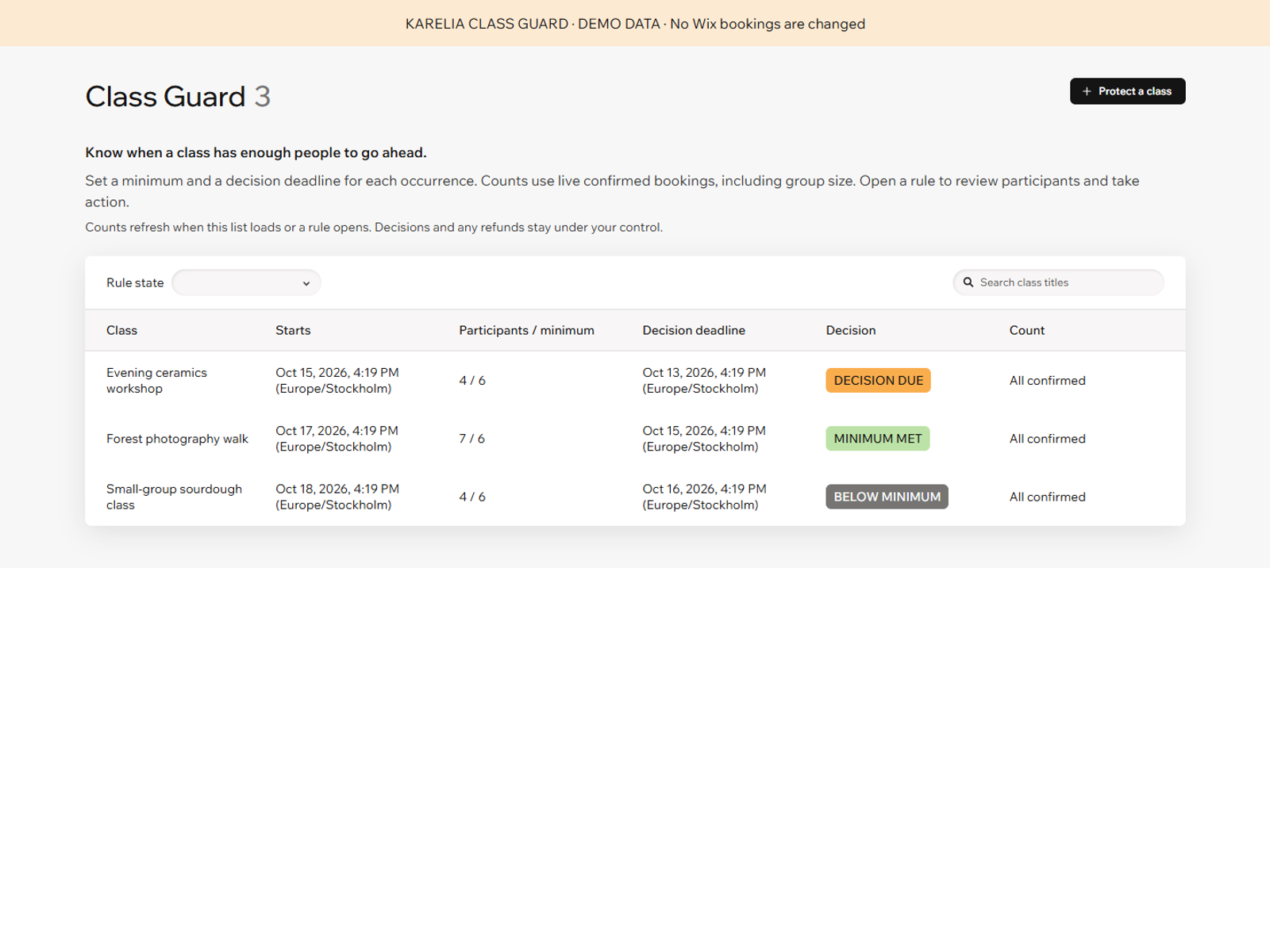
Minimum class enrollment for Wix Bookings
See which classes have enough participants before you decide whether to run them. Karelia Class Guard tracks minimum enrollment and decision deadlines for individual class occurrences, helping you review underfilled classes, group sessions and workshops in one place.
What you can do
Track minimum enrollment and decision deadlines for each class occurrence
Count participants accurately across individual and group bookings
Check all confirmed bookings or only fully paid and free bookings
Review underfilled classes and confirm cancellation when eligible
Set a minimum participant count and deadline, then review live confirmed bookings. Group bookings count the people attending: one booking for three people contributes three participants. Choose all confirmed bookings or fully paid and free bookings only. Unavailable counts are flagged for investigation.
Open a class rule to see the count, deadline and supporting bookings. When the deadline has passed and a class is below minimum, you can explicitly confirm cancellation of that occurrence and request a participant notification with your saved message.
Requires the Bookings app. Decisions stay under your control; automatic cancellation and background reminders are not included. Refunds and rebooking are handled separately through your booking system and payment provider. Notification delivery follows your platform settings and availability.
Useful to know
Does it cancel classes automatically?
No. The organizer reviews the current count and explicitly confirms an eligible cancellation.
Does a group booking count as one?
No. The number of participants in the group contributes to the count.
Start with a clear next step.
Set a minimum for each class occurrence, count group bookings correctly and keep the final decision under your control.
Already using Karelia Class Guard? You can leave an honest review on its Wix App Market page.