 Karelia Labs

SheetTable
Turn spreadsheets into searchable website tables.
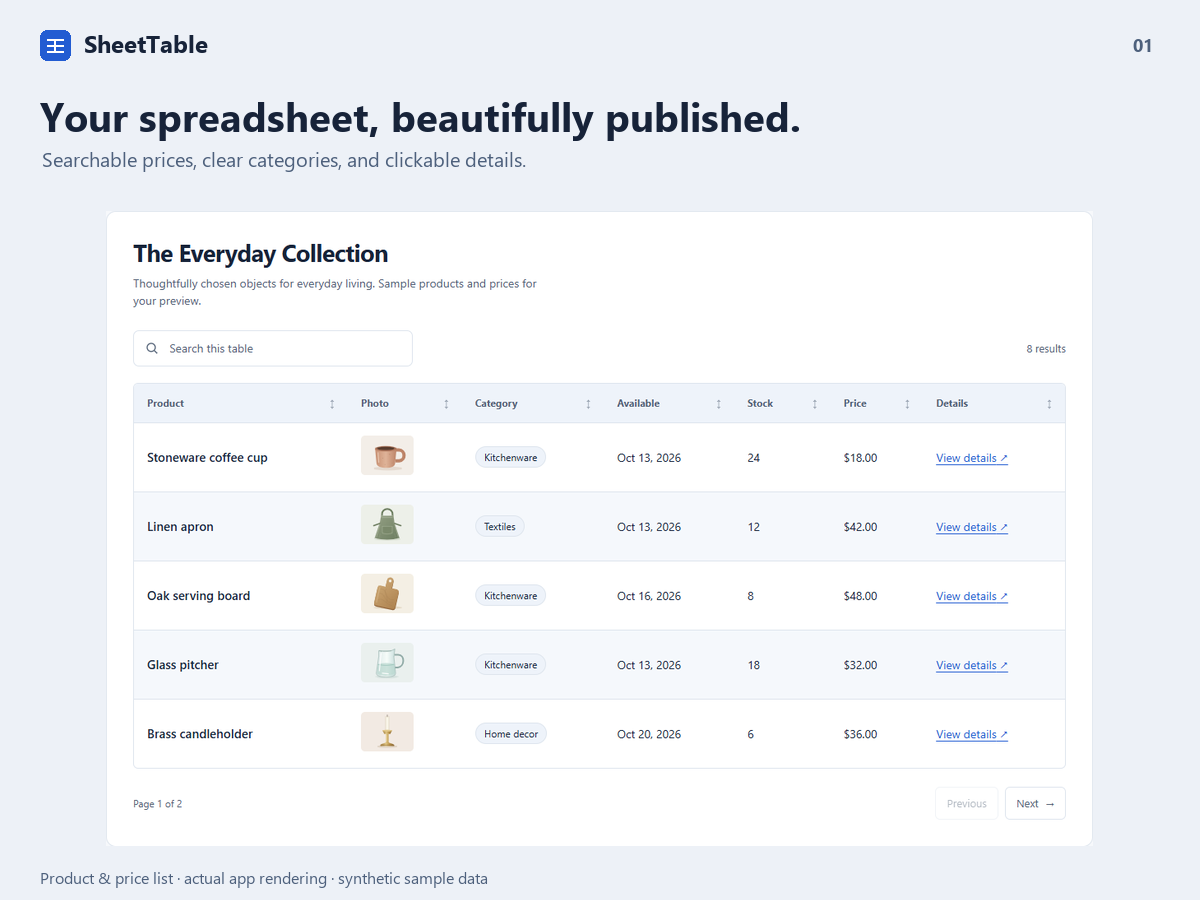
Searchable spreadsheet tables for Wix
Turn Excel, CSV and public Google Sheets into searchable tables on your website. SheetTable helps you publish product catalogs, price lists, business directories and comparison tables that visitors can search and sort, including on mobile.
What you can do
Publish searchable tables from spreadsheets and CSV files
Show price lists, product catalogs, directories and comparisons
Keep tables readable on phones with cards or sticky-column scrolling
Match your site with themes, images, links and translated headers
Import your data, edit cells and reorder rows before publishing. Add product images, clickable links, badges and formatted prices, numbers or dates. Match your site with themes, colors, fonts and translated column headers. On phones, choose stacked cards or a scrolling table with a sticky first column.
Start free with one table, 50 rows and three themes. Pro adds six themes, unlimited tables with up to 5,000 rows each, column filters, conditional formatting, CSV downloads and public Sheet refresh triggered by visits after your chosen interval. Business supports up to 50,000 rows per table, multiple sheet tabs and pricing or comparison presets.
Basic styling and mobile layouts are included on every plan, without a watermark. Public Sheets must be readable without signing in; private Sheets are unsupported. The dashboard is English. Imports use values with SheetTable formatting; workbook styles, macros and live formulas are not reproduced.
Useful to know
Can I connect a private Google Sheet?
No. The Sheet must be readable without signing in. Use a public Sheet containing only data you intend to show, or import a file.
Will it preserve my spreadsheet formatting?
Values are imported with SheetTable formatting. Workbook styles, macros and live formulas are not reproduced.
Start with a clear next step.
Prepare spreadsheet data, choose a mobile layout and publish a table visitors can search and sort.
Already using SheetTable? You can leave an honest review on its Wix App Market page.